Northside Estates
Beacon by Monolith Compliance
Emergency lighting test software for UK contractors
Test on site. Catch up later. Leave with the paperwork done.
Beacon is for people who still have to find the plant room key. Test without signal, keep the site logbook up to date, and leave with paperwork you can hand over — not rewrite in the van.
Free in open beta · No card · A few minutes to add your first site
For contractors, competent persons, and the folks juggling more than one site.
Sound familiar?
When the record lives in WhatsApp and a spreadsheet called Final_v7
Too many teams still put the visit together again after they’ve left site. Photos on three phones. A spreadsheet that doesn’t match the wall. That failed lamp disappears into last month’s PDF and never comes back.
- Paper logbooks and Excel that don’t match what’s on the wall
- Notes and photos scattered — no one place for the site
- Rewriting the visit in Word when you should already be home
Meet Beacon
Field for the visit. Console for the office.
Technicians work in Field on the phone — even underground. Managers see sites, history, team, and certificates on the desktop. Same fittings either way.
Status
Monthly test
Beacon Console
Sites
How it works
Three steps. No heroic evening of admin.
-
1
Add the site
Start fresh or bring your fittings across from a spreadsheet. Set the test switches and site IDs once.
-
2
Do the visit
Monthly function or a timed annual by test switch — in Field, results as you walk the building.
-
3
Hand over the paperwork
Issue the visit report or site certificate from what you just did — then catch up when you’re back online.
- Free in open beta
- No card
- Your data stays yours
- We’ll warn before pricing
- Duty-holder stays responsible
See it move
A short visit, from fail to the site register.
Four steps of a real Field visit — find the site, fail a fitting, save it, see it land. No account needed.
Quay Holdings
Riverside Group
14 Quay Lane
Status
Open defects (1)
- EL-031 — Indicator fault · Interim
- EL-018 — Lamp fault · Interim
Site snapshot
July monthly test
EL-012
passStair A
Tap to change result
EL-024
passCorridor B
Tap to change result
EL-018
failPlant room
Lamp fault
Tap to change result
What you get
Built for how emergency lighting is actually tested.
Offline visits, paperwork from the test, and a register that carries forward between monthly and annual — built around the job on site.
01 · Field
Works underground. Literally.
Plant rooms and basements don’t care about your signal. Keep testing anyway — results stay on the phone and catch up when you’re back upstairs.
- Add to your home screen from the browser — no App Store needed
- Push your work up when you’ve got coverage
- Same sites ready in Console for the office
12 fittings updated · will send when you’re online
02 · Monthly
Monthly function as you walk the building
Pass or fail each fitting as you go — with notes and photos where you need them. The visit stays on the site, not scattered across phones and scraps of paper.
- Results on every fitting you touch
- Notes and photos when something’s wrong
- See how far through the visit you are
03 · Annual
Annual duration with a real clock
Run the discharge for the time the site was designed for, switch by switch — with a timer on each one. Not a hopeful tick from the car park.
- One-hour or three-hour runs from how the site is set up
- A timer per test switch so nothing gets skipped
- Results saved as you go through the building
04 · Documents
Paperwork you can hand over before you leave
Fitting results, a visit inspection report, or a site certificate — each with its own reference. Once it’s issued and signed, it stays that way.
- Test report with the fittings you covered
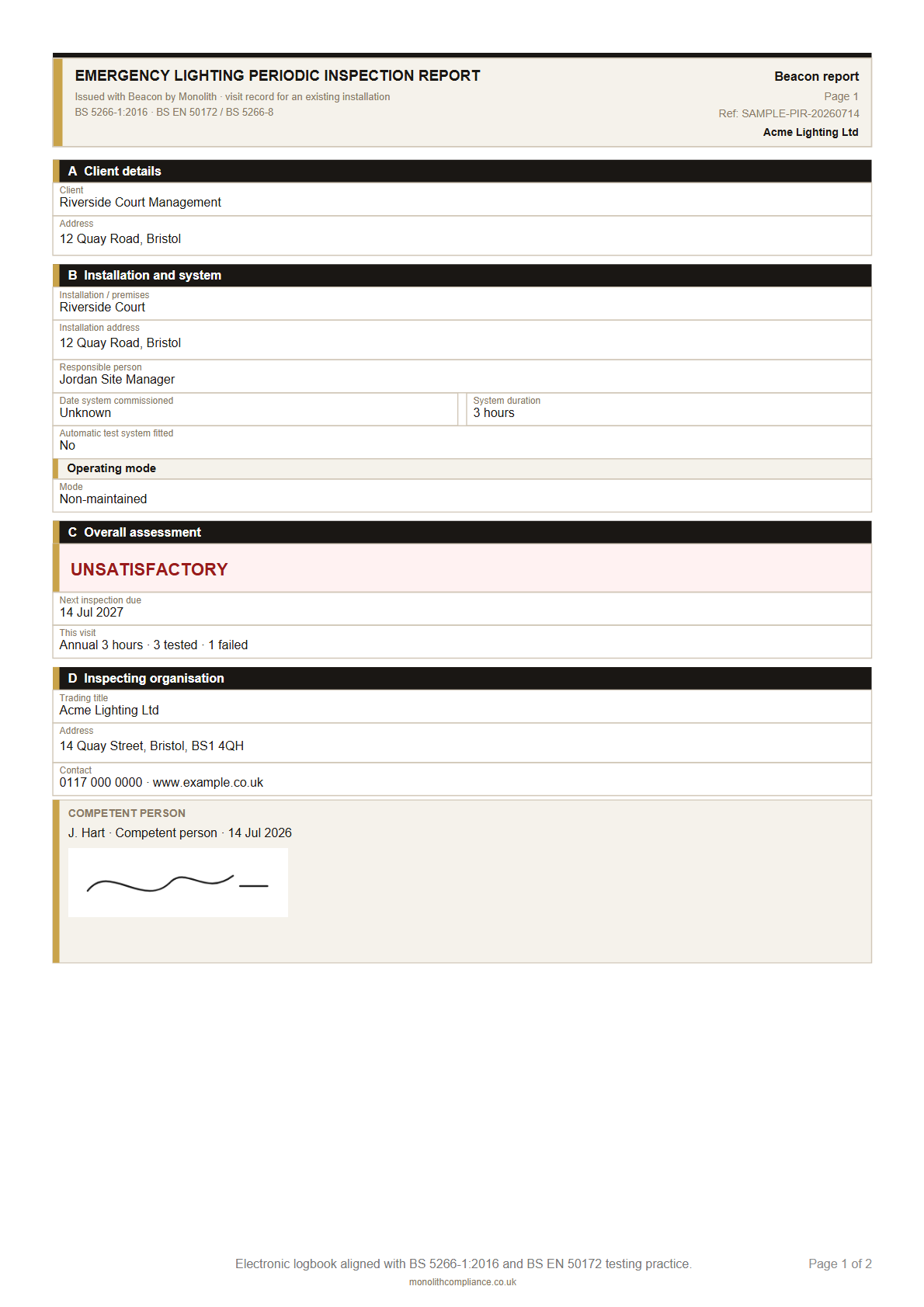
- Visit inspection report — see sample
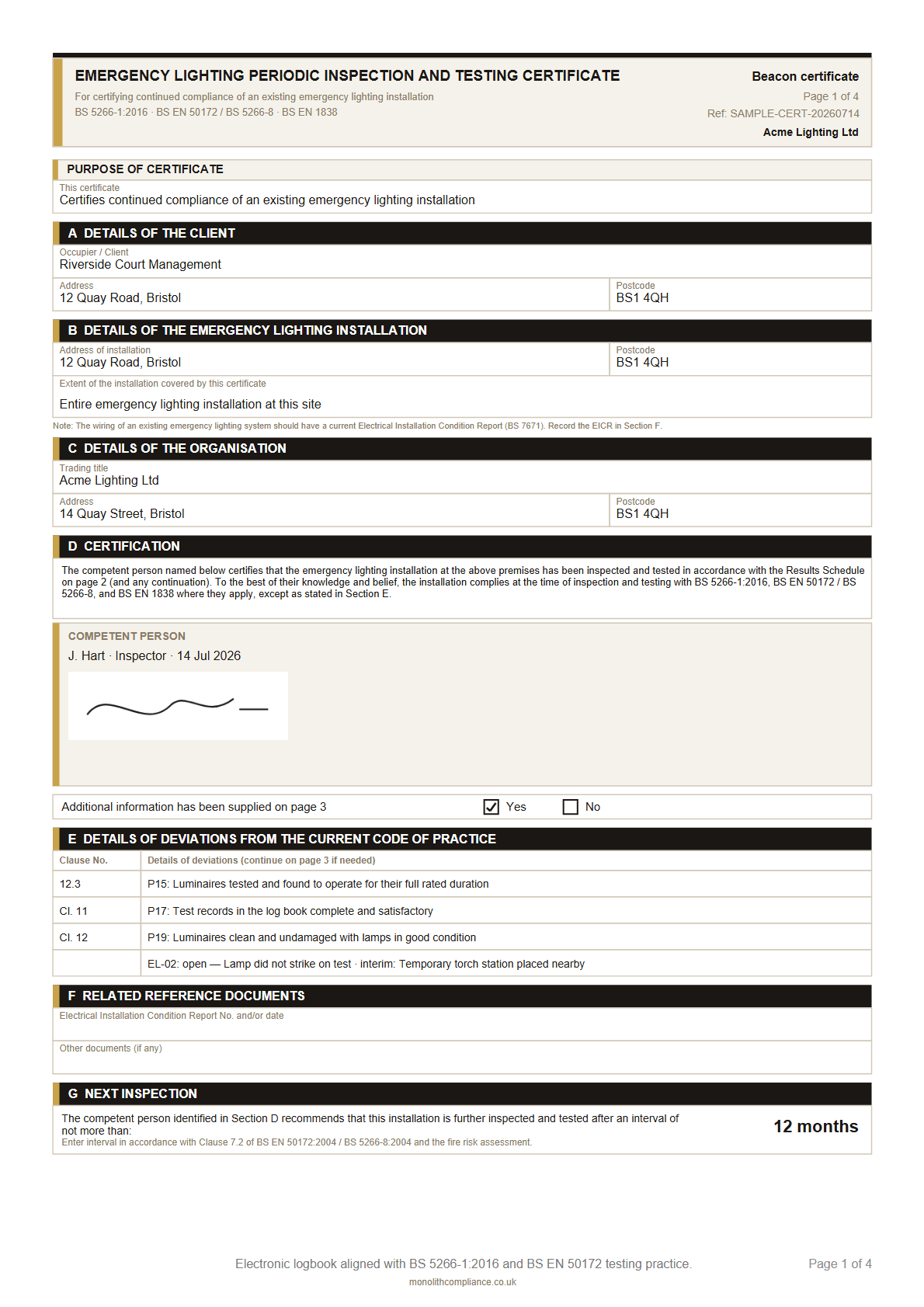
- Site periodic certificate — see sample
05 · Defects
Failed fittings don’t get to ghost the next visit
When something fails, it stays open on the site until it’s fixed or closed properly. Photos travel with it. Paperwork you’ve already issued doesn’t get rewritten to hide the mess.
- Open defects right there on the site overview
- Photos on the findings that need proving
- Issued documents stay as they were signed
EL-018 Plant room — lamp failed to strike
EL-031 Car park — battery didn’t last
Sort these before you sign off06 · Register
Bring the spreadsheet. Keep the register alive.
Point your old logbook columns at rooms, site IDs, switches, and floors. Next month you’re not typing the whole site in again — the register comes with you.
- Import from the spreadsheet you already have
- Site IDs, locations, switches, floors — kept tidy
- History and defects stay tied to the same fittings
07 · Setup
Set the site up once — properly
Responsible person, how long the batteries should last, whether there’s an automatic test system, which switches run the annual. Timers and paperwork then match the building, not a blank form.
- Client and responsible person details
- Design duration and automatic test system
- Test switches that drive the annual run
Duration 3 hours
Auto test Not fitted
Switches TS-01 · TS-02 · TS-03
Responsible Building Manager
08 · Console
The office view that doesn’t need a chase-up call
See every site in one place, invite your technicians, check who changed what, and put your company details on the PDFs so the pack looks like it came from you — because it did.
- Sites, history, and paperwork in one desk view
- Invite the team and keep roles clear
- Your branding on the paperwork you issue
The paperwork
The paperwork you leave behind after a visit.
Flip through sample pages from a real Beacon visit. Once you issue and sign a document, it stays as signed.
Issue these from the visit — not from memory later.
No card · Free in open beta · Managers welcome
Why Beacon
Spreadsheets and generic certificate apps weren’t built for this job.
The old way
- Type fittings into Word or Excel again after every visit
- Hope the annual “three hours” actually happened
- Defects buried in last month’s PDF
- No single list of what’s on the wall that anyone trusts
With Beacon
- Issue the report or certificate from the visit you just did
- Timed annual discharge, switch by switch
- Open defects stay on the site until they’re closed
- Site IDs, fittings, and switches come with you next month
- Issue a visit report from the test — no rewrite in the van
- Keep testing when the signal disappears
- Bring fittings across from the logbook spreadsheet you already have
A straight word
Built for people who actually test on site.
It’s free in open beta. We’ll tell you about pricing before anything is charged. Your feedback shapes what we build next — we’re still listening.
The duty-holder still owns fire-safety compliance. Beacon is not certified or endorsed by BSI.
Got something kind to say? We’re collecting real beta voices for this page.
FAQ
The questions we’d ask before trying it too.
Does it work when there’s no signal?
Yes. Field is built for plant rooms and basements. Keep testing with no bars; when you’re back online, your work catches up. Console is for the office when you’ve got a connection.
Is this enough for BS 5266?
Beacon is built around how emergency lighting is actually tested: monthly and annual runs, a proper site register, open defects, visit reports, and periodic certificates. It helps you record the work and issue the paperwork — the duty-holder stays responsible for compliance. Beacon is not certified or endorsed by BSI. Practical notes: emergency lighting guides and emergency lighting test software (UK).
What’s Field vs Console?
Field is the phone or tablet app you take on site — testing, defects, and history, even offline. Console is the desktop side for sites, team, history, and certificates across the company. Same world, two jobs.
Can I bring in an existing logbook?
Yes. Add a site, import your fittings from a spreadsheet, then set test switches and site IDs before the first visit. No need to type the whole building in again from scratch.
Do I need an App Store download?
No. Open Field in the browser on your phone or tablet and add it to your home screen. Console is just a normal desktop browser. No card needed to start the open beta.
What paperwork can I issue today?
After a visit: a fitting test report and a visit periodic inspection report. For the site: a periodic inspection and testing certificate. Once something is issued and signed, it stays as signed.
How much does it cost?
Free in open beta. We’ll tell you about pricing before anything is charged.
Where is my data kept?
Your organisation’s data lives securely in Beacon’s cloud. On site, Field can keep the visit on the phone until you’re back online. Details are on the privacy page.
Open beta
Come and try it while it’s free
Make an account, add a site, and run a real monthly or annual visit. We’re in open beta — free for now, and we’ll tell you before anything costs money.
No card · A few minutes to add your first site